×
Home
Apps
monday.com
Shopify
Wordpress
Services
Resource
Knowledge Base
Blog
About Us
Contact Us
Help
Home
Help
How Can We Help?
Google Tasks & Calendar Sync (monday.com)
All topics
>
Google Tasks & Calendar Sync (monday.com)
1. Getting started
Key Features & How It Works
What is Google Tasks & Calendar Sync for monday.com? What does this app do?
2. Pricing and plans
Billing and Refund Policy
Upgrading or Downgrading Plans
Plan & Pricing
3. Installing
Do I need to connect both accounts?
How can I change the Google account?
Google Tasks & Calendar Sync – Installation & Setup Guide
How to Install Google Tasks & Calendar Sync?
System Requirements & Access
4. App setting
Can I add more mapping columns to a group?
What happens if I delete a task or an event?
Set Up Guide for Mapping monday.com Board and Google Tasks and Calendar
Match Fields Between Platforms
Does the app sync in real time?
Will the Task or Event Update Its Status Automatically?
How do I stop the sync?
Can I sync subtasks?
What’s the Difference Between the Sync Directions?
5. Trouble shooting
Why am I seeing the Completed Label Required error?
My tasks aren’t syncing. What should I do?
6. Privacy & Security
What Data Is Accessed and Stored?
OAuth Access & Permissions Policy
User Data Protection & Data Security Standards
7. Contact Support
Report a Bug or Request a Feature: How to Reach Our Team
Support Hours & Response Time
How do I stop the sync?
Print
Updated June 26, 2025
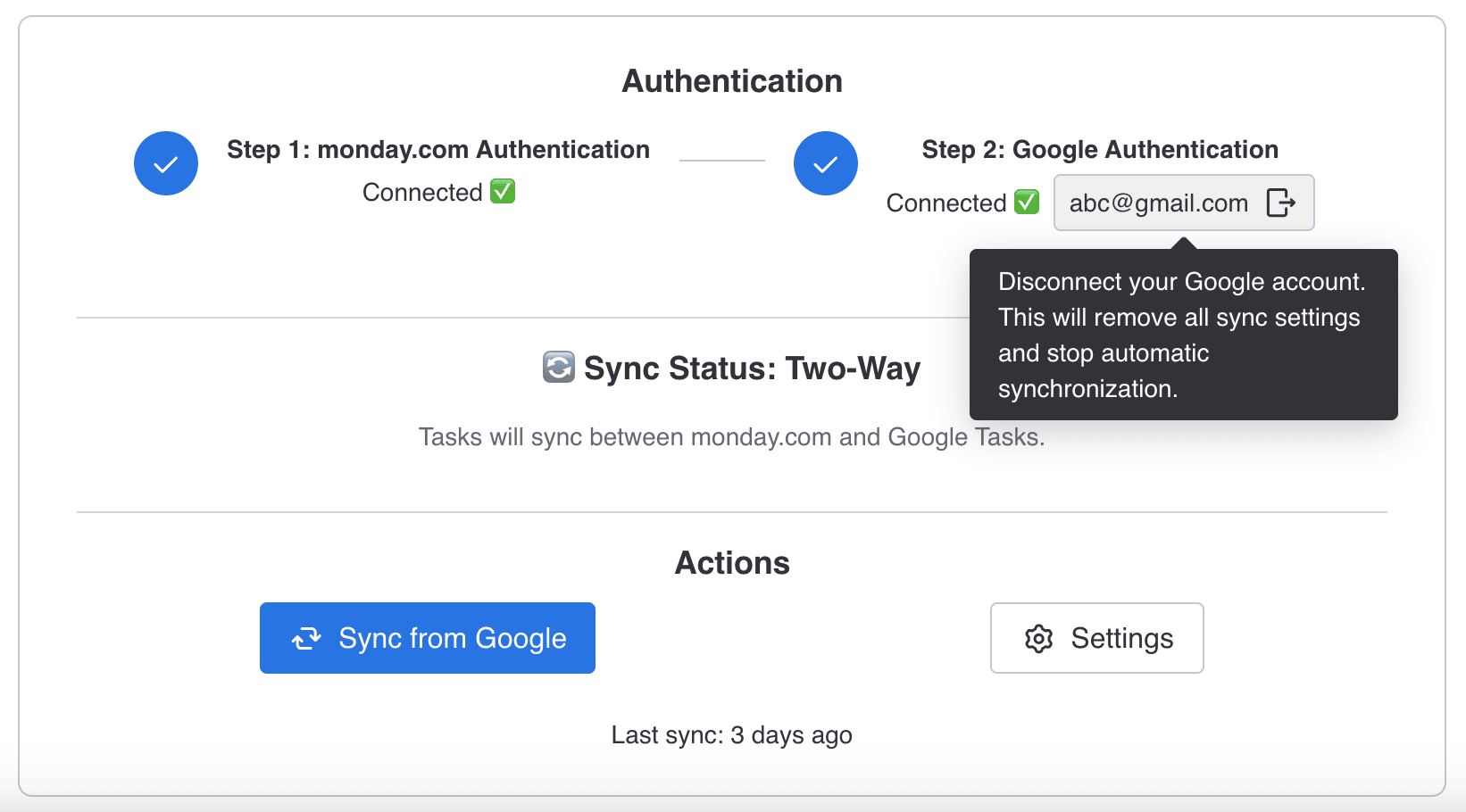
Here are some ways you can stop syncing:
Uncheck the sync direction boxes.
Click
your Google account
to disconnect your Google Tasks account (or to switch accounts).