Once the app is installed and your accounts are connected, it’s time to set up your sync the way you want it.
You can connect multiple monday groups to different Google Tasks lists or Google Calendars.
Example:
-
“Onboarding” group → New Hire Task List
-
“Team Projects” group → Team Calendar
-
“Events” group → Company Calendar
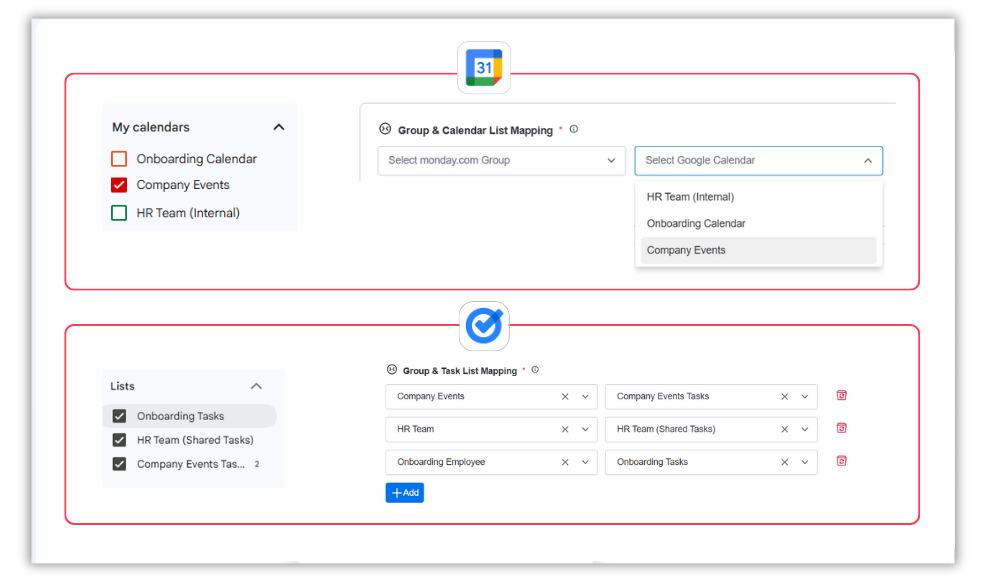
To add another sync, click Add. To stop a sync, click the Delete icon — tasks and events stay safe on both sides.
Once everything’s mapped just the way you like, your tasks will start syncing automatically, keeping your work aligned, organized, and always up to date.