
If you're seeing this message:
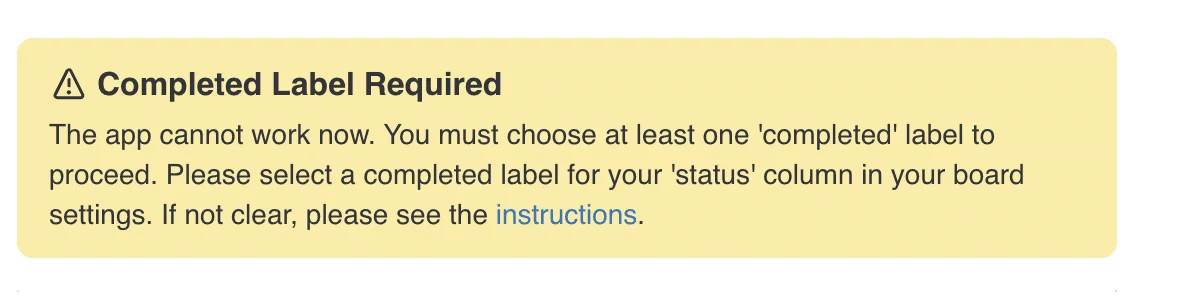
…it means that the app cannot find a label in the Status column you're using for sync that’s marked as Completed.
Normally, the Completed label is set up by default when you first install the app, so you won’t need to configure anything.
However, this error appears if the Completed label has been removed from the manually by user.
✅ How to fix it:
You’ll need to set a Completed label for your Status column.
-
Go to your monday.com board where the error appears.
-
Find the Status column that you selected for syncing.
If your board has multiple columns under the mapping field Status, you only need to update the one that's currently being synced. -
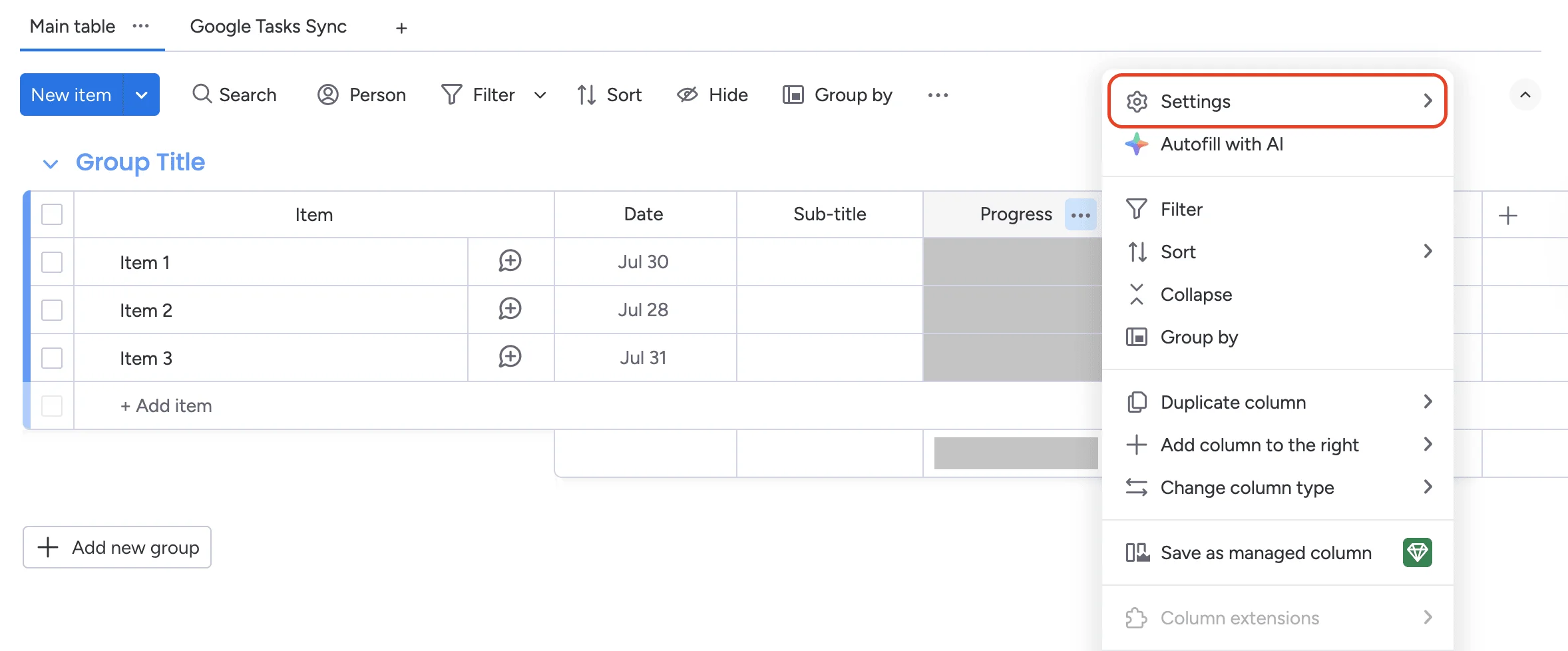
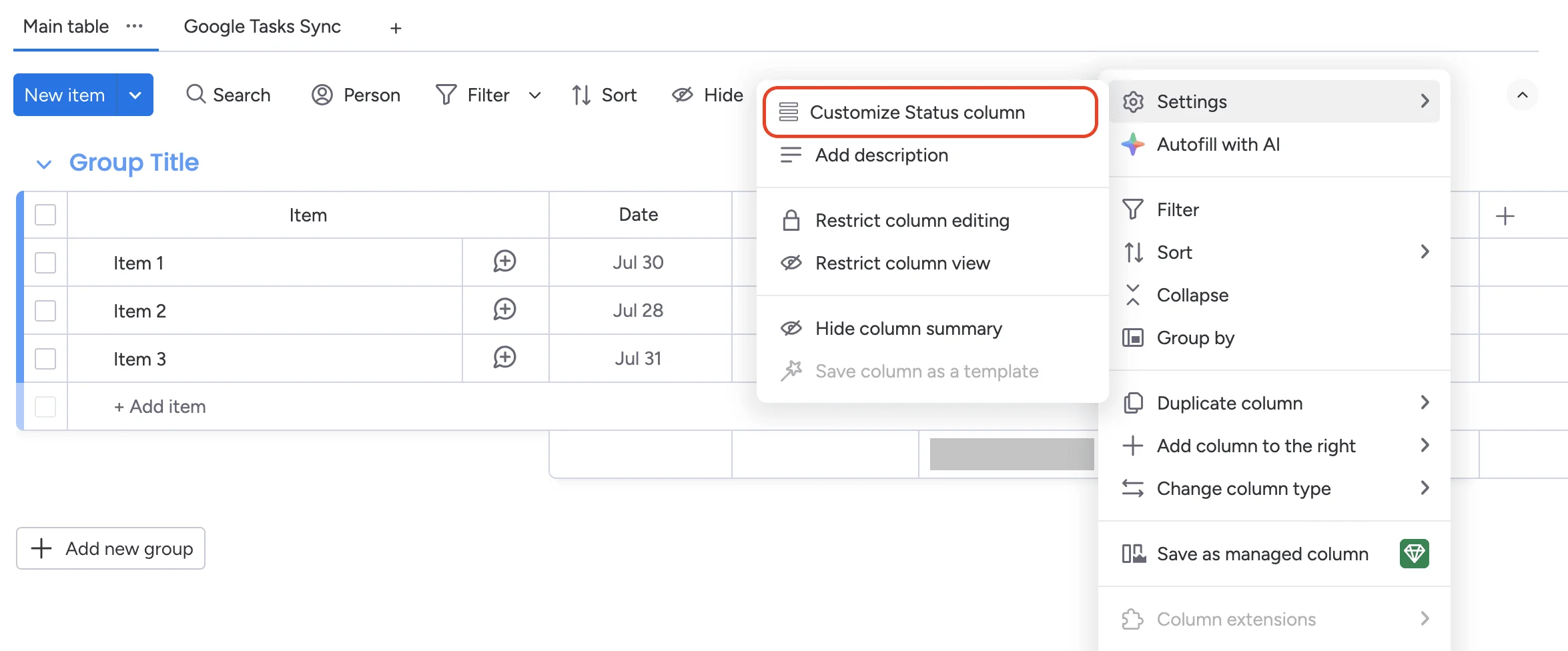
Click the three dots (⋯) in the top right corner of the column, choose Setting -> Customize Status column
- In the popup, at Choose which colors indicate that an item is completed, tick the color you want to mark them as completed.
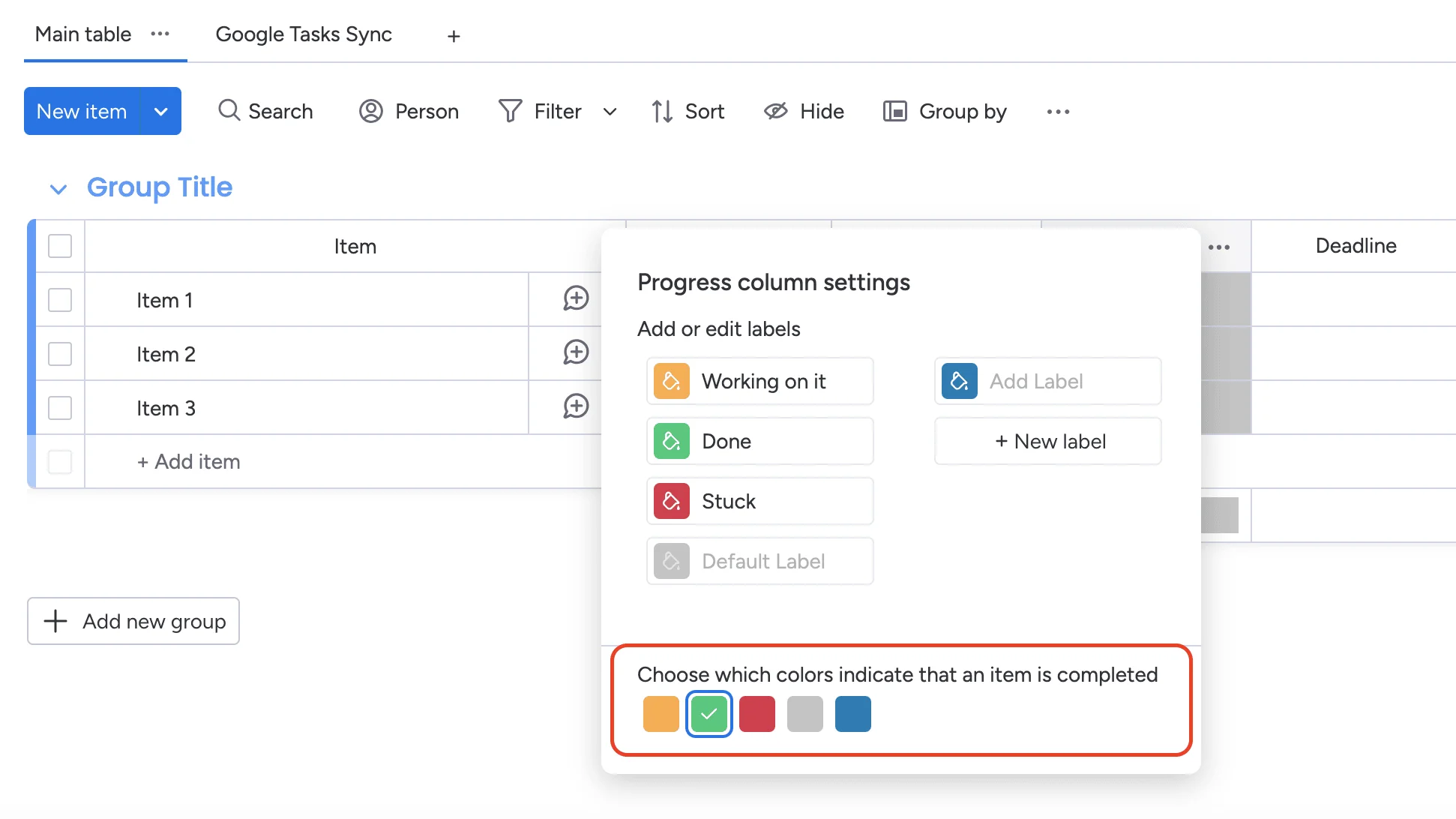
Once Completed label is set, the error will disappear and the app can sync tasks & event properly.
More in Google Tasks & Calendar Sync (monday.com)
- Key Features & How It Works
- What is Google Tasks & Calendar Sync for monday.com? What does this app do?
- Billing and Refund Policy
- Upgrading or Downgrading Plans
- Plan & Pricing
- Do I need to connect both accounts?
- How can I change the Google account?
- Google Tasks & Calendar Sync – Installation & Setup Guide