
It's possible that you haven't enabled the app in the theme customizer, or perhaps your code hasn't been activated in the list of codes. Try one of the following:
1. If you haven't enabled the app in the theme customizer then follow the instructions below to activate the app
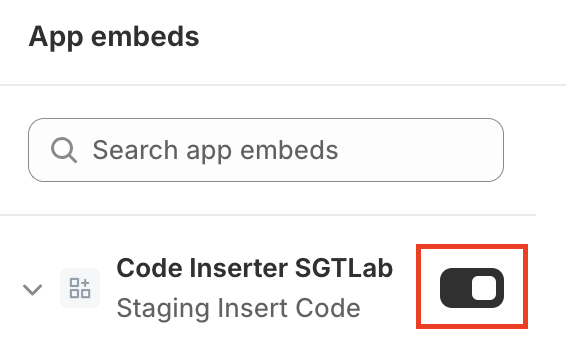
→ Toggle button Code Inserter SGTLab so that the app can start working on your website.
2. If your code hasn't been activated in the list of codes then follow the instructions below to activate the code
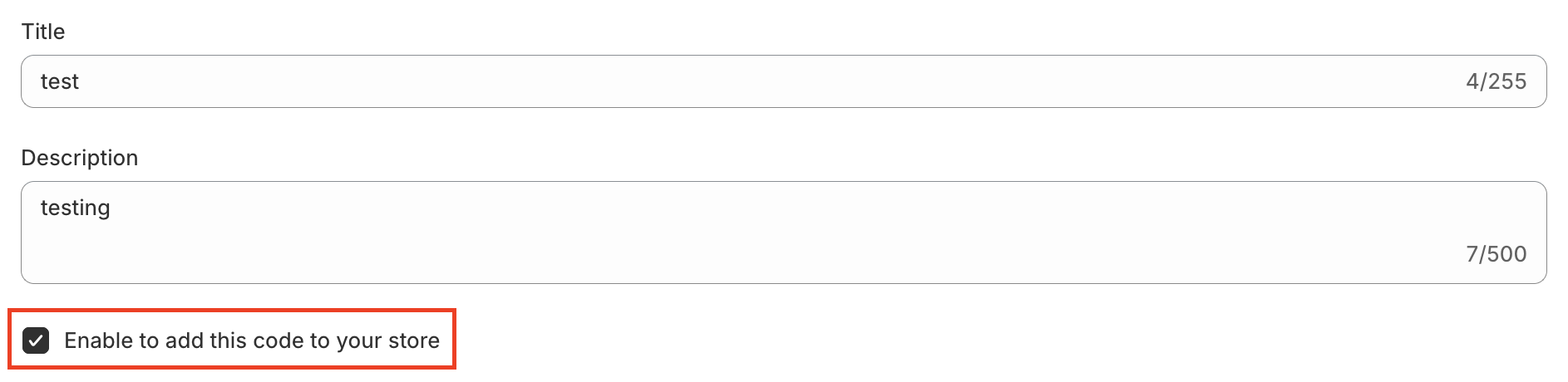
→ Tick the box Enable to add this code to your store so that the code can be activated.
More in Insert Code FAQs
- Does Custom Code Inserter SGTLab work with my theme?
- How will Custom Code Inserter SGTLab affect my page speed?
- Why add custom CSS in your store?
- Can I use a CSS preprocesor like LESS or Sass?
- Does the app modify the code I write in the editor?
- What if I change the theme?
- What if I want to add multiple external CSS codes?
- What will happen after I uninstall the app?