
To write a review about Accessibility on Shopify store, kindly follow these steps below:
- Step 1: Go to your Shopify store
- Step 2: Search for Accessibility SGTLab by using the search bar.
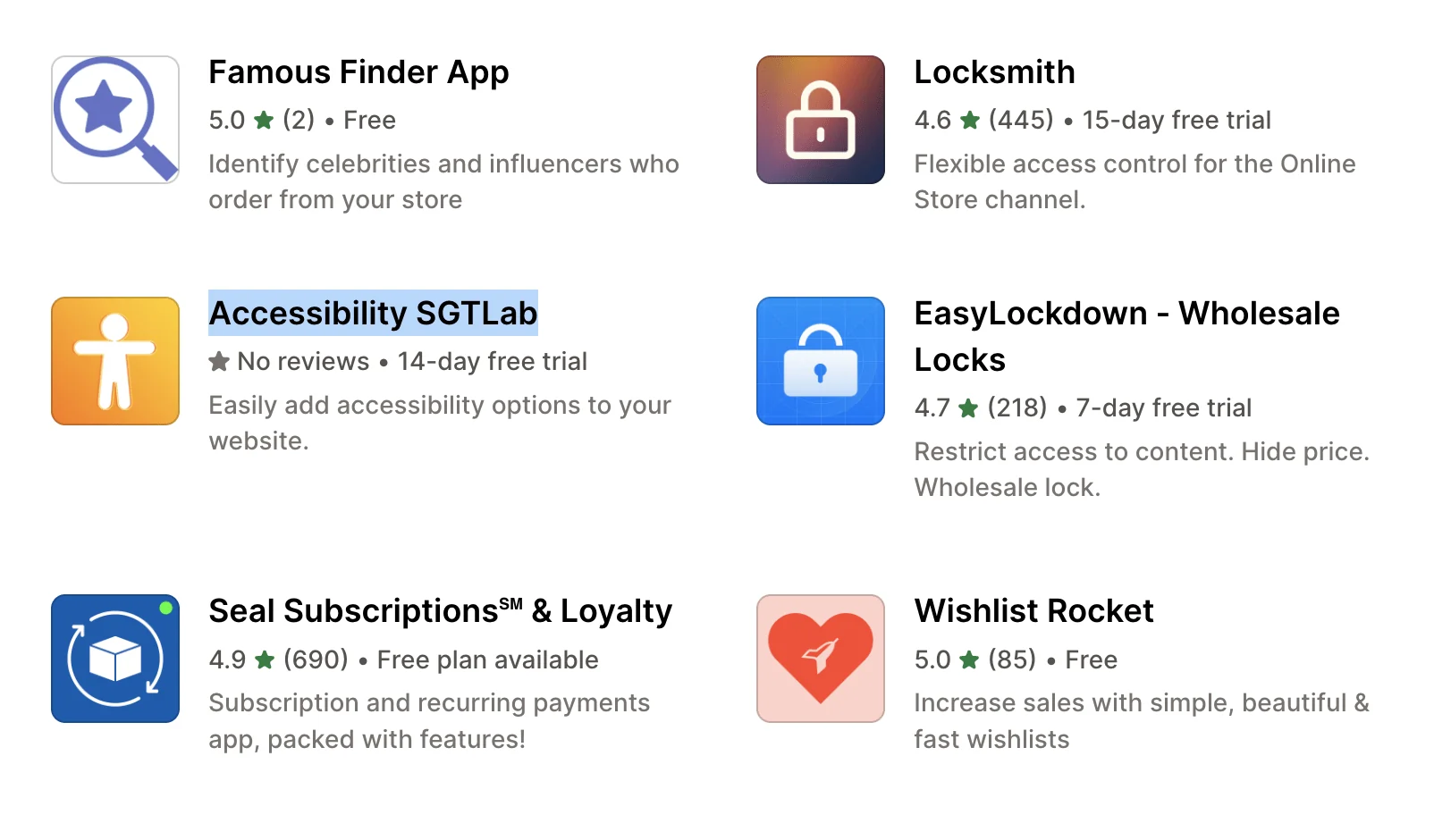
- Step 3: Once you have found the app, tap on it to open the app page.
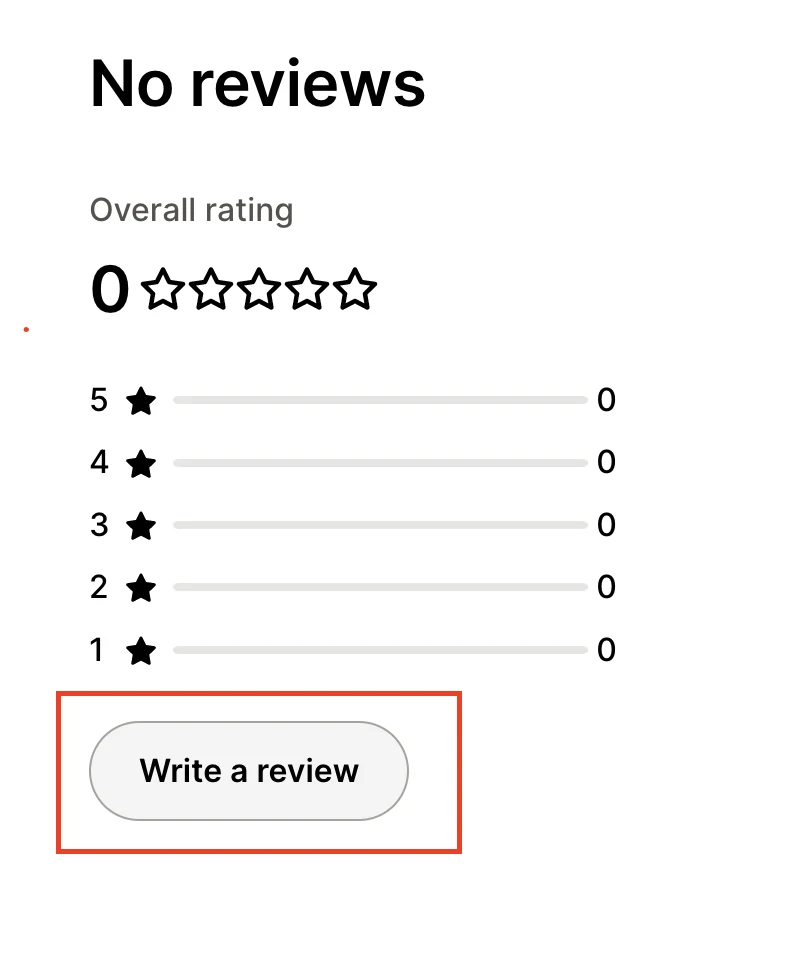
- Step 4: Scroll down to find Write a review, then tap the button to start writing a review. (You need to have a Shopify store first)
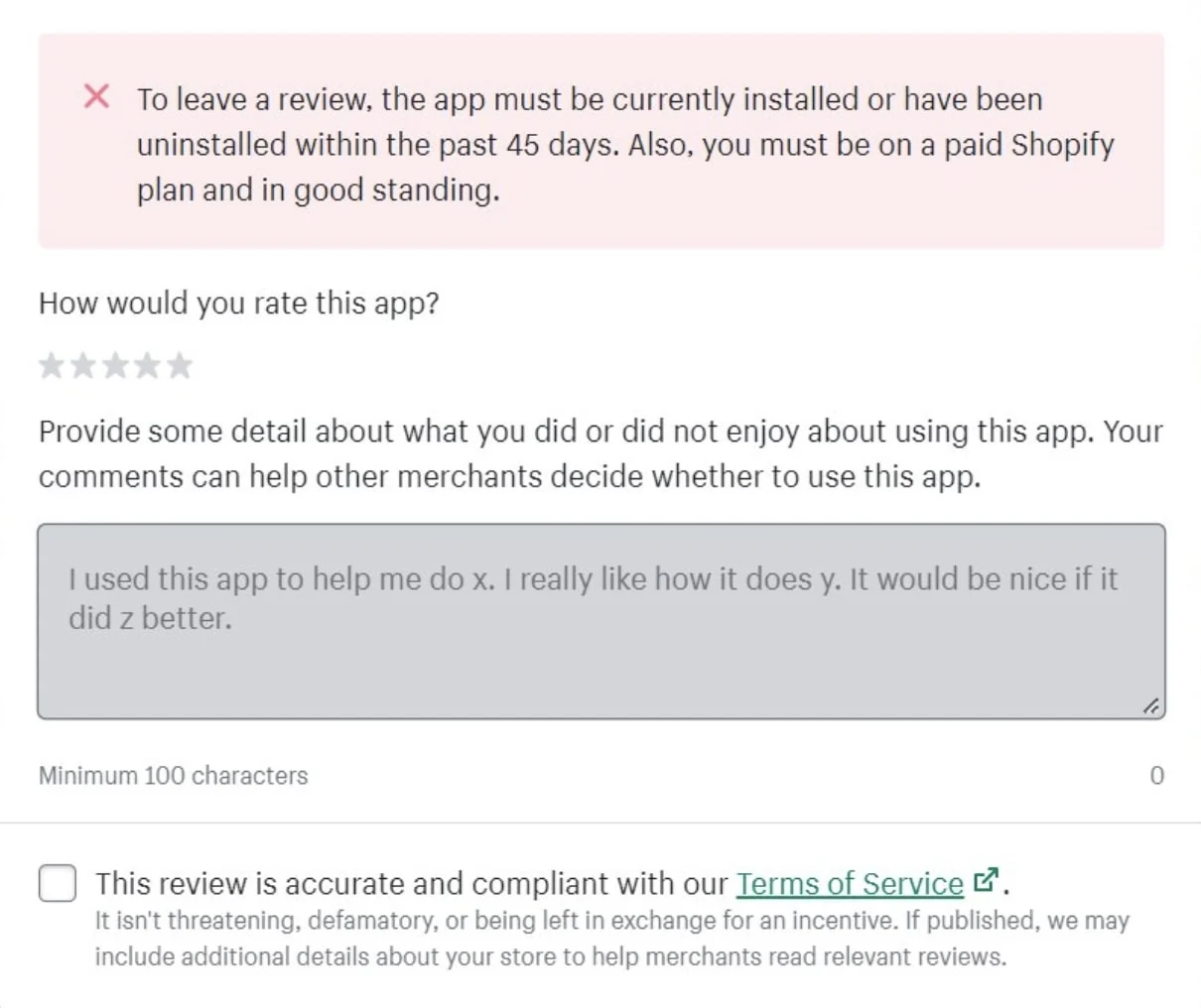
- Step 5: Rate the product using the star rating system, then write your review in the text box provided. Your details experience with the product, such as how it has helped you or any problems you encountered, are greatly appreciated as it helps us improve our service and optimize the widget better. (The app must be installed or have been uninstalled within the past 45 days)
- Step 6: Click the Submit Review button to post your review. If you are having any trouble and wish to be assisted right away, you may contact the store directly through our direct chat or social media.
More in Accessibility FAQs
- Is the app available in any languages?
- What is Accessibility?
- How do I subscribe to the app?
- How to upgrade from monthly subscription to an annual one?
- Can I return the product and get a refund?
- Does the app have any in-app purchases?
- Does the app have free trials?
- What are the steps for installing Accessibility?