
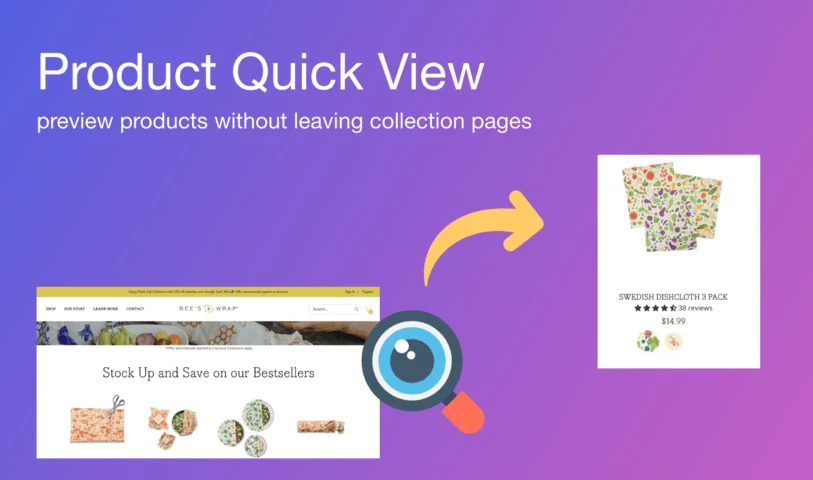
Modern online shopping customers value speed and simplicity. Clicking into each product page, waiting for it to load, then returning to the collection takes time—and can easily lead to drop-offs. This slows down the buying process and hurts conversions.
With Product Quick View, instead of opening a new page for every product, this app shows product details in a quick pop-up right on the page. Customers can check prices, images, and descriptions—and even add items directly to their cart—without leaving the page they’re on.
Let’s walk through each feature step by step and customize the app to fit your store perfectly.
🔧 Key Features Built to Convert
-
🔍 Instant Product Previews – Show product info in a sleek popup.
-
🛒 Add to Cart from the Popup – Let customers buy without opening a product page.
-
🔁 Seamless Navigation – Keep them on your collection page to reduce drop-offs.
-
🎨 Customizable Design – Match your store’s branding in just a few clicks.
"We added Quick View button to our trending collections, and bounce rates dropped by 18%. Customers started exploring more products and checking out faster!" – Jenna L., Urban Spark
🚀 How It Works — Customize It to Match Your Store
Let’s walk through each tab step by step and customize the app to fit your store perfectly.
🧩 General Tab
This section sets how the popup appears on your store’s product cards.
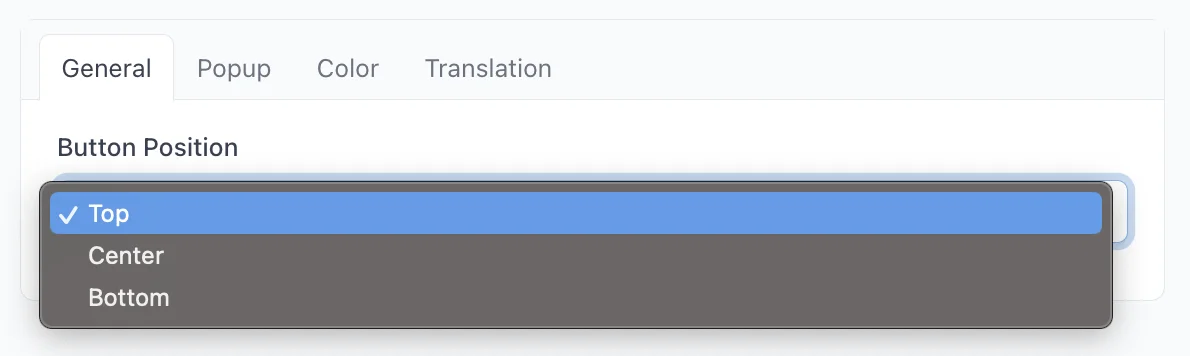
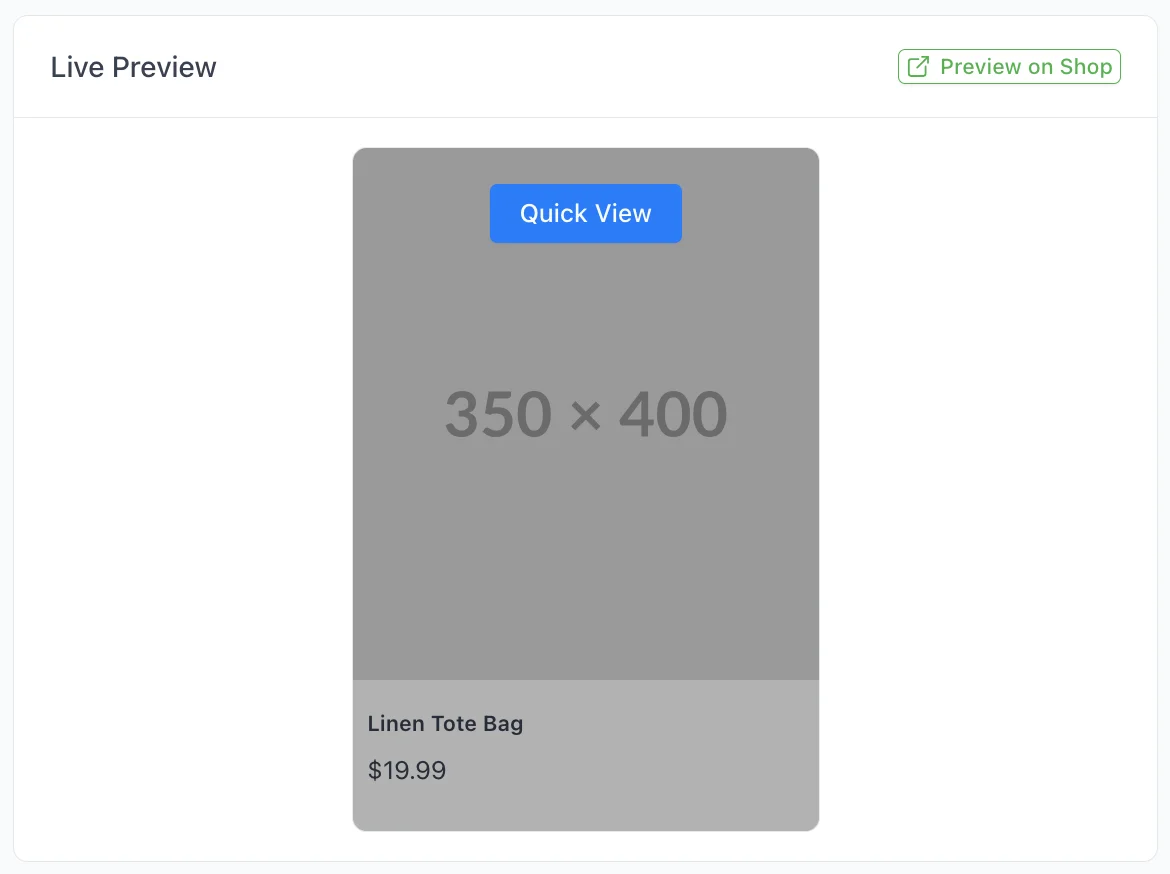
- Button Position: Decide if you want the Quick View button at the top, center, or bottom of your product cards.
📐 Popup Tab
This part helps you shape the popup to fit neatly within your store’s design.
-
Popup Width: Enter a custom width, or type auto to use the default.
-
Popup Height: Same here—set your size, or type auto for default.
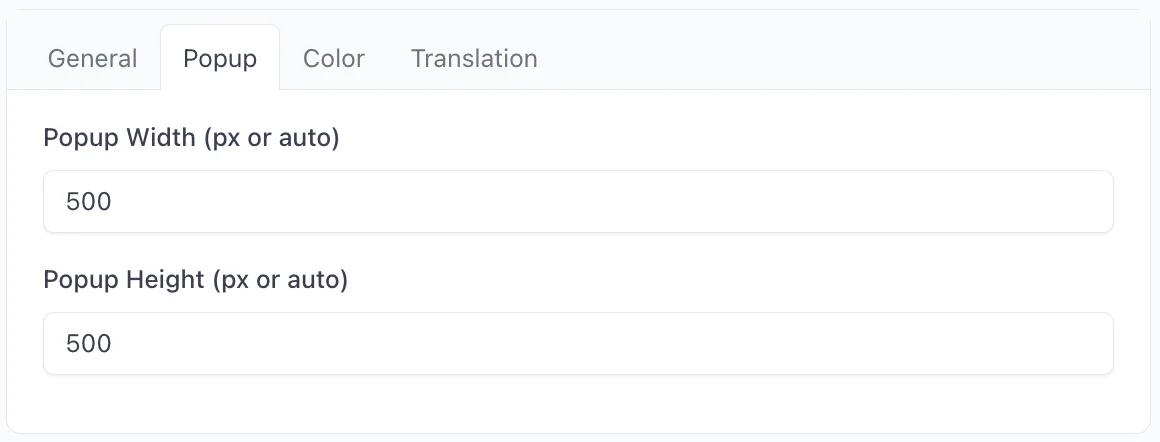
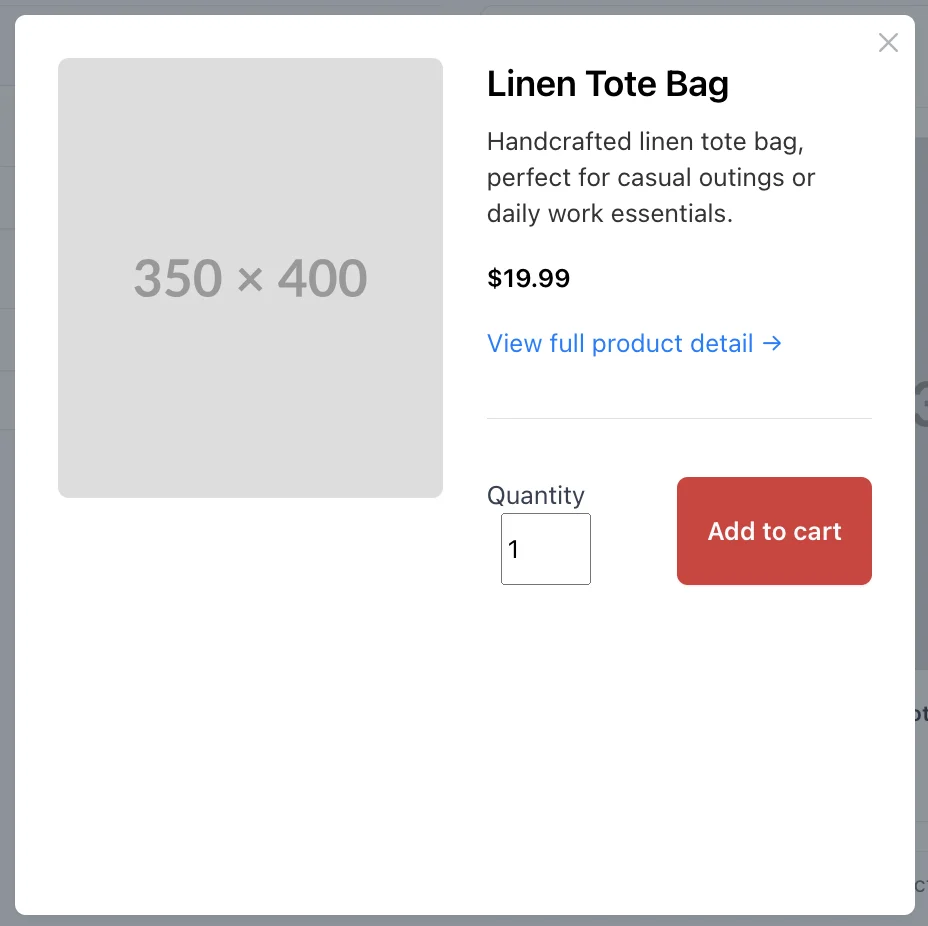
The popup will turn out like this:
🎨 Color Tab
Give your popup the right look and feel to match your brand's image.
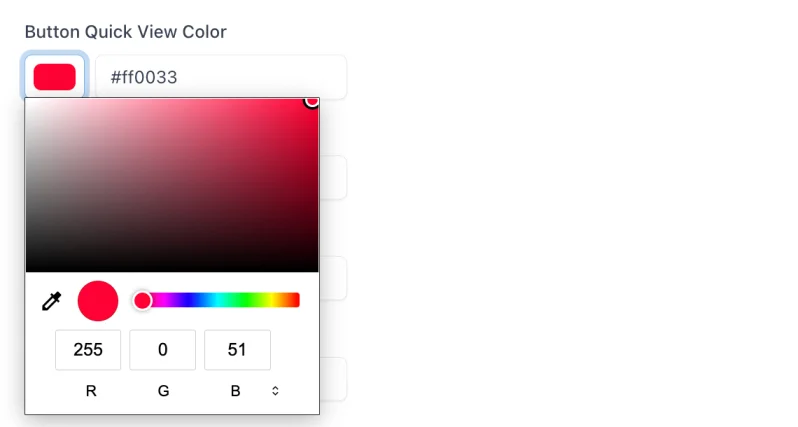
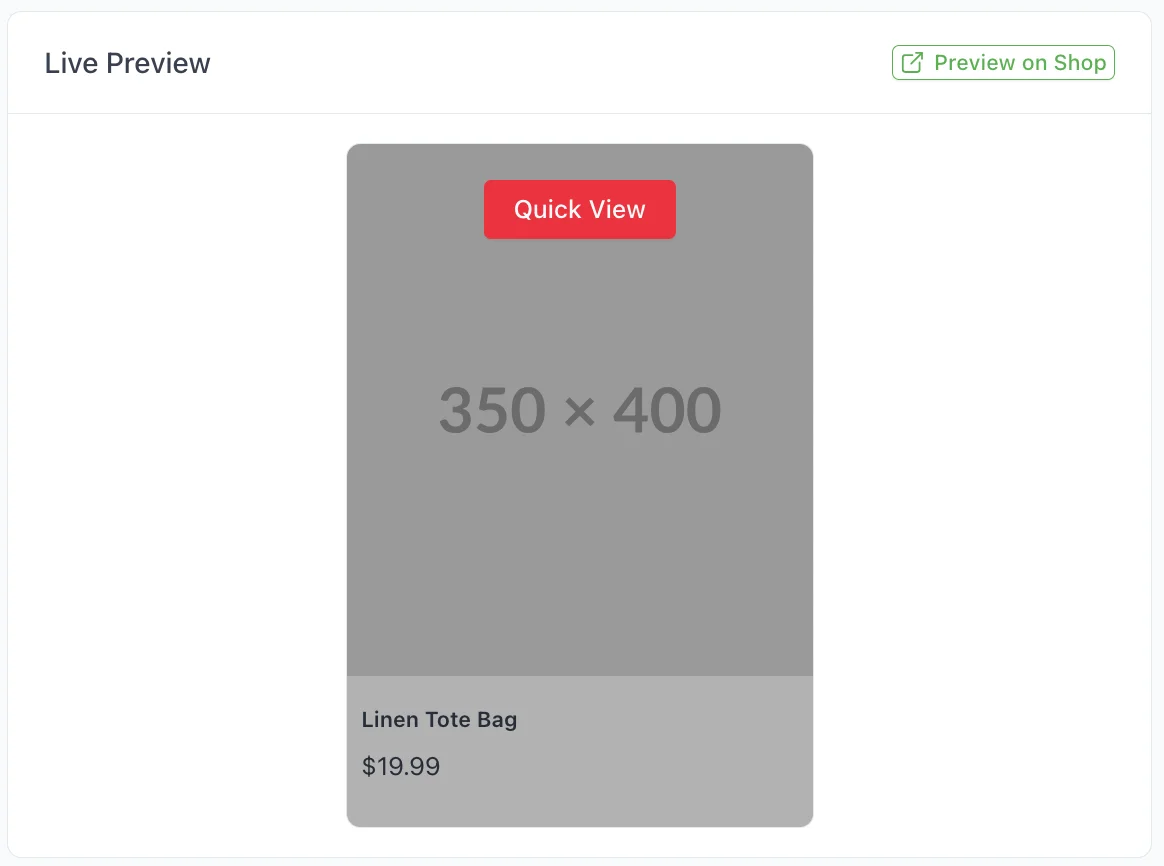
- Quick View Button Color: This is the color of the Quick View button that shows when customers hover over a product image. You can choose a bold, standout color to draw attention.
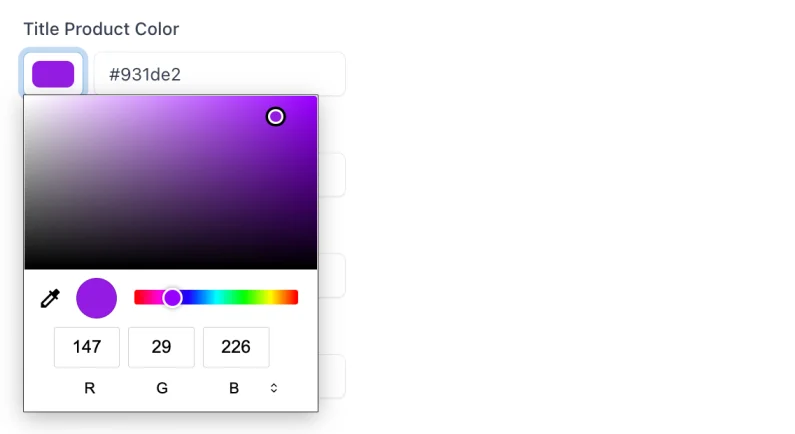
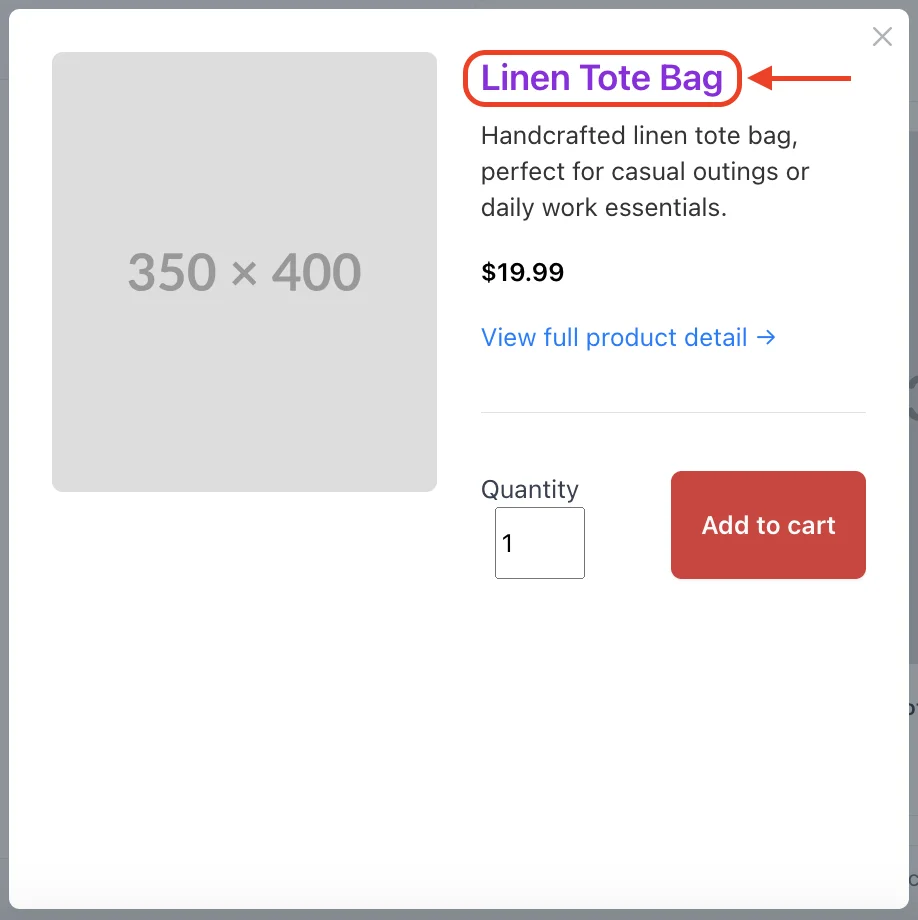
- Product Title Color: This sets the color of your product titles in the popup. Go for a shade that’s easy to read and works well with your background.
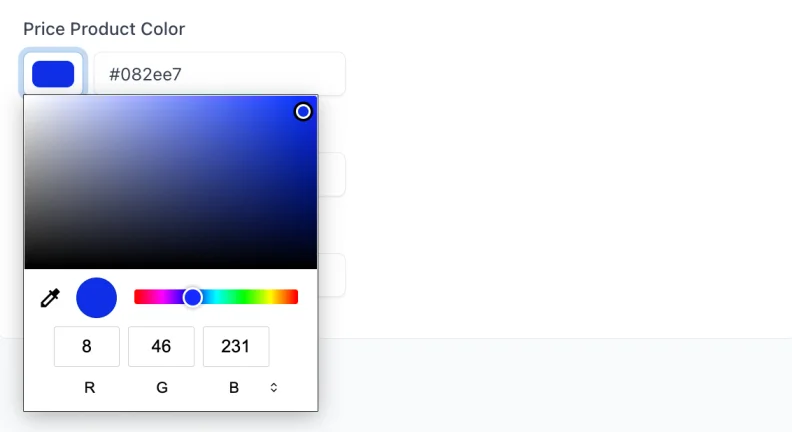
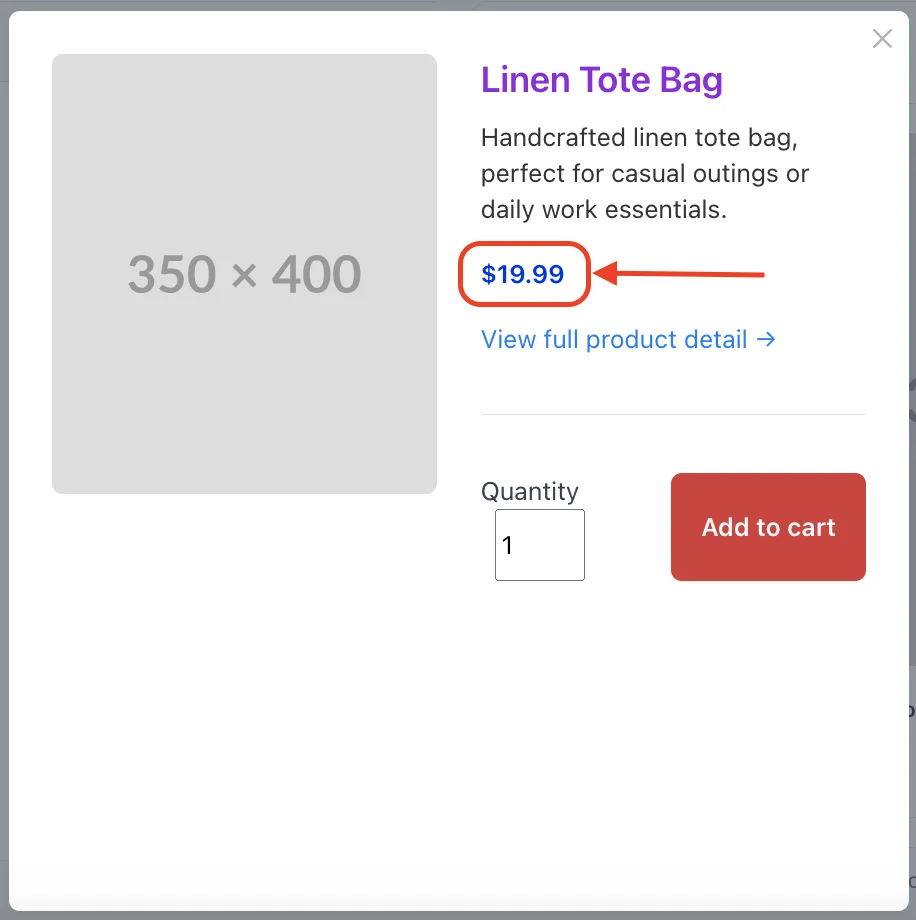
- Price Color: This controls how the product price looks. Maybe you can try a high-contrast color to make the price pop out from the rest.
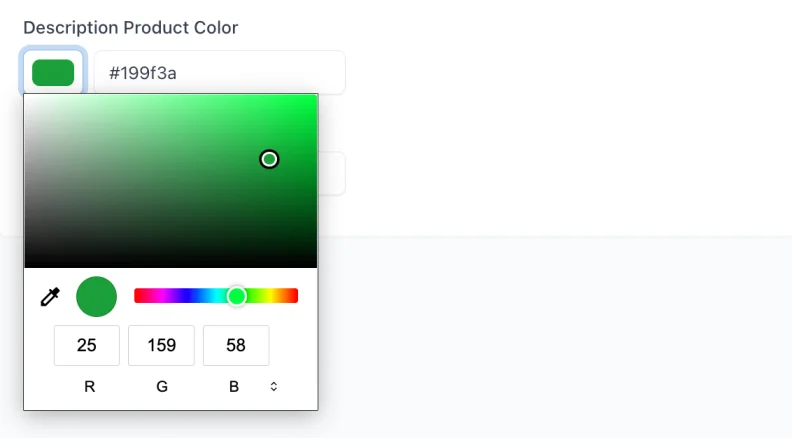
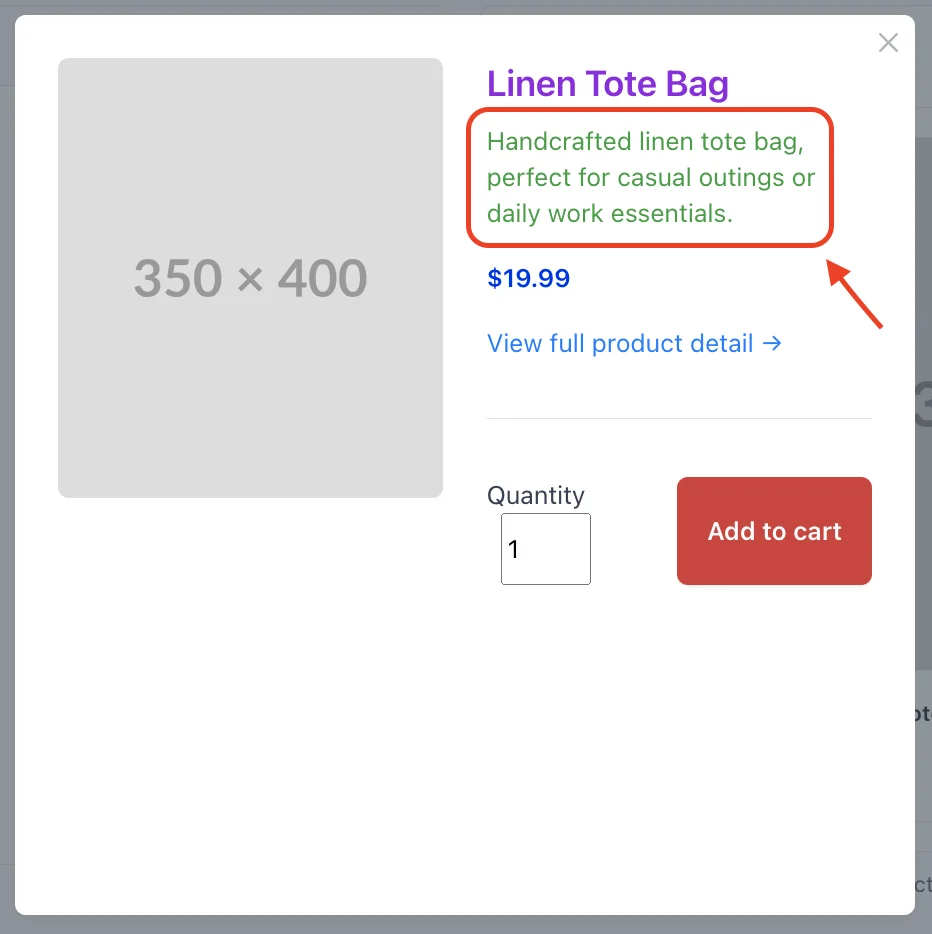
- Description Color: This is the color of the product description text. Try something that fits your store’s vibe—soft and muted or bright and bold.
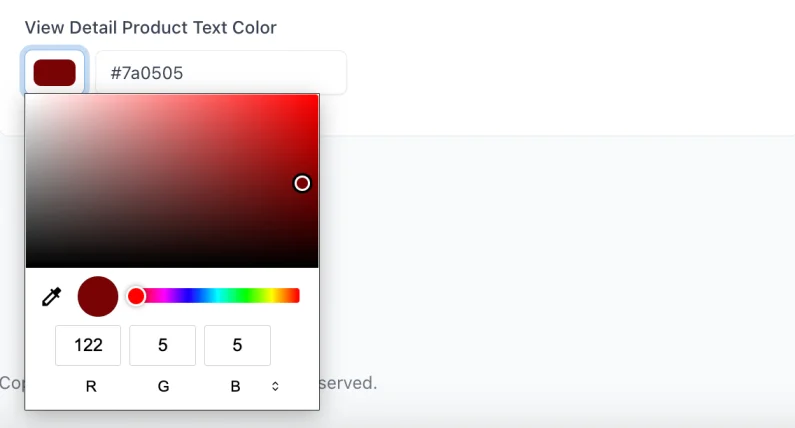
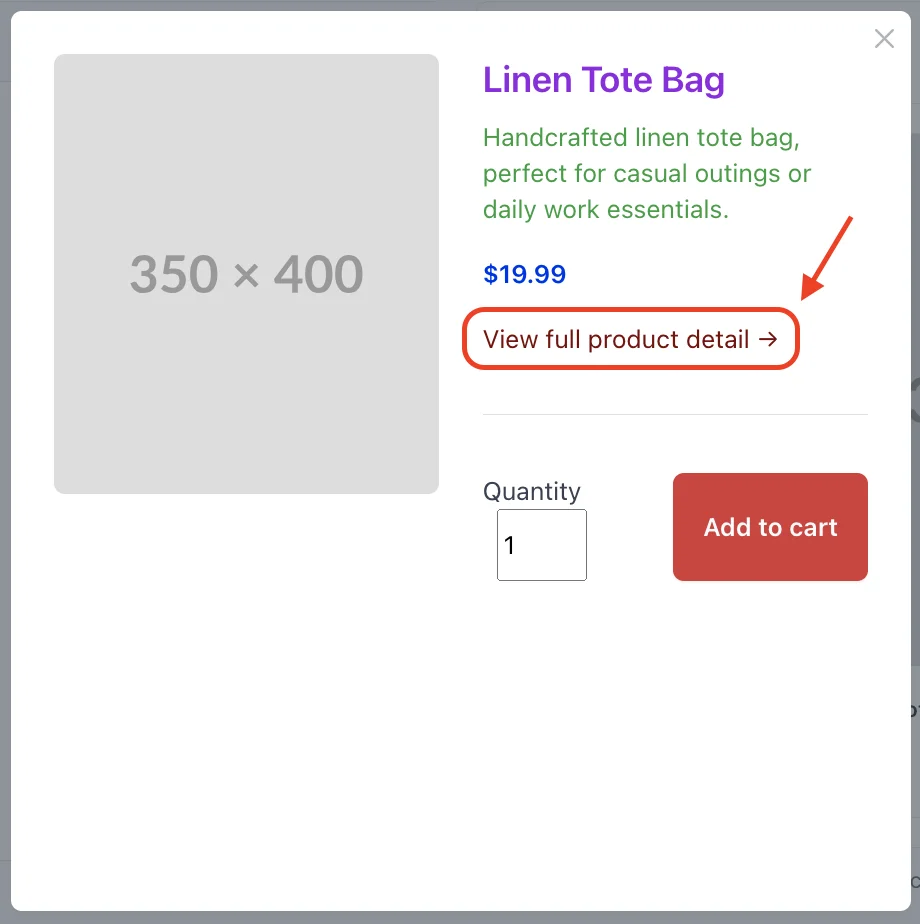
- View Detail Link Color: This changes the link color for Text View Detail Product. Pick a color that draws attention without being too loud.
🌍 Translation Tab
This section helps you make the app feel more like a natural part of your store, with custom button labels and messages.
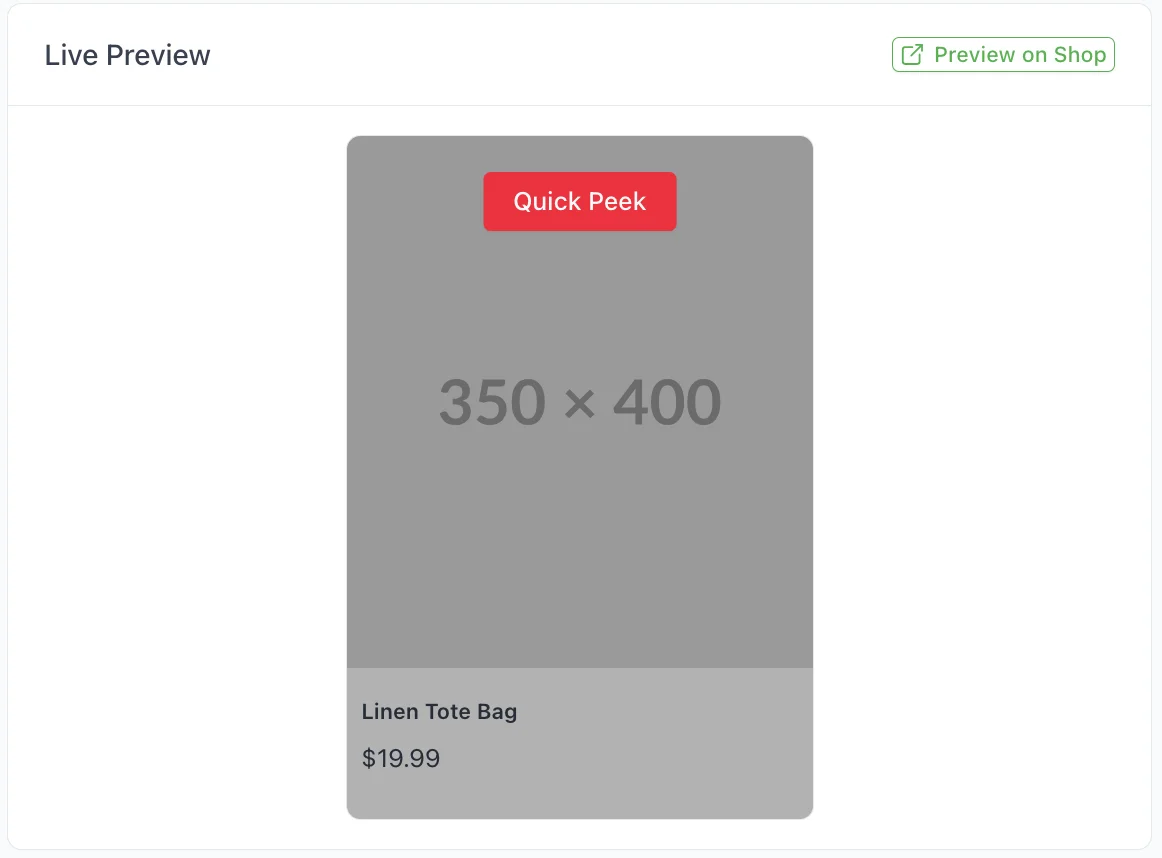
- Button Text: This is the Quick View button label. Feel free to rename it to See Details, Quick Peek, or anything that matches your brand.

- Font Size: Set how big or small the button text should be. Type the number of pixels that looks right for your layout.

- Text View Detail Product: This is the clickable text that brings customers to the full product page. Change it to something like Full Details or Go to Product.

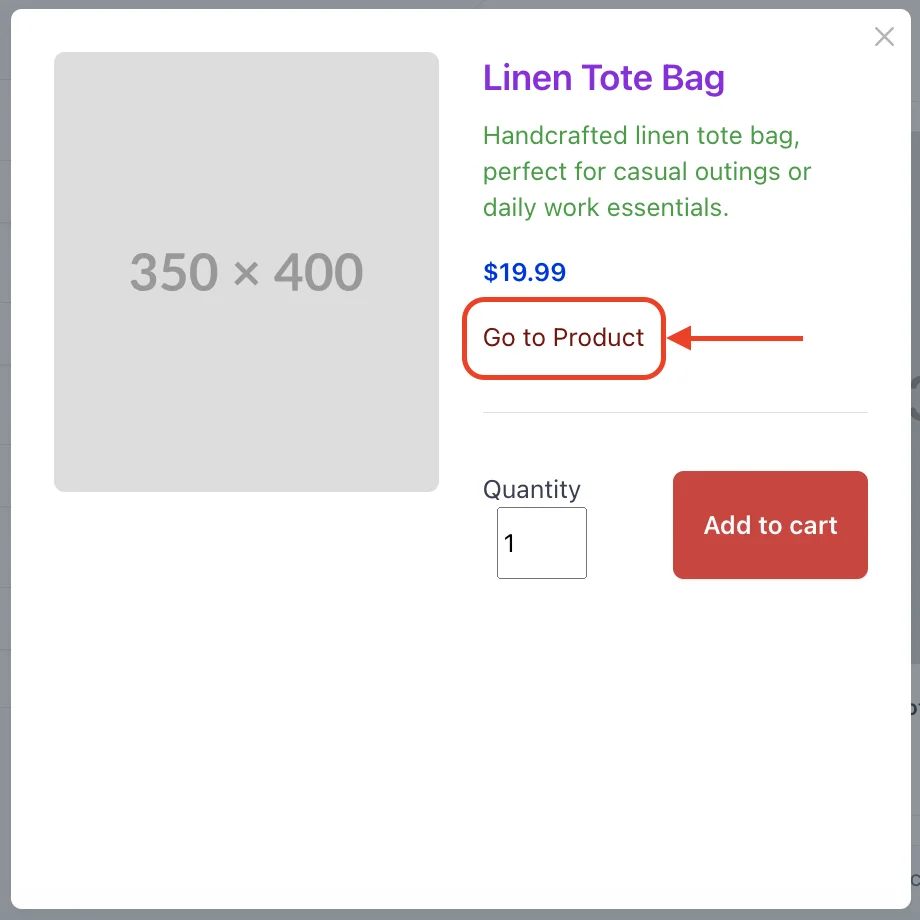
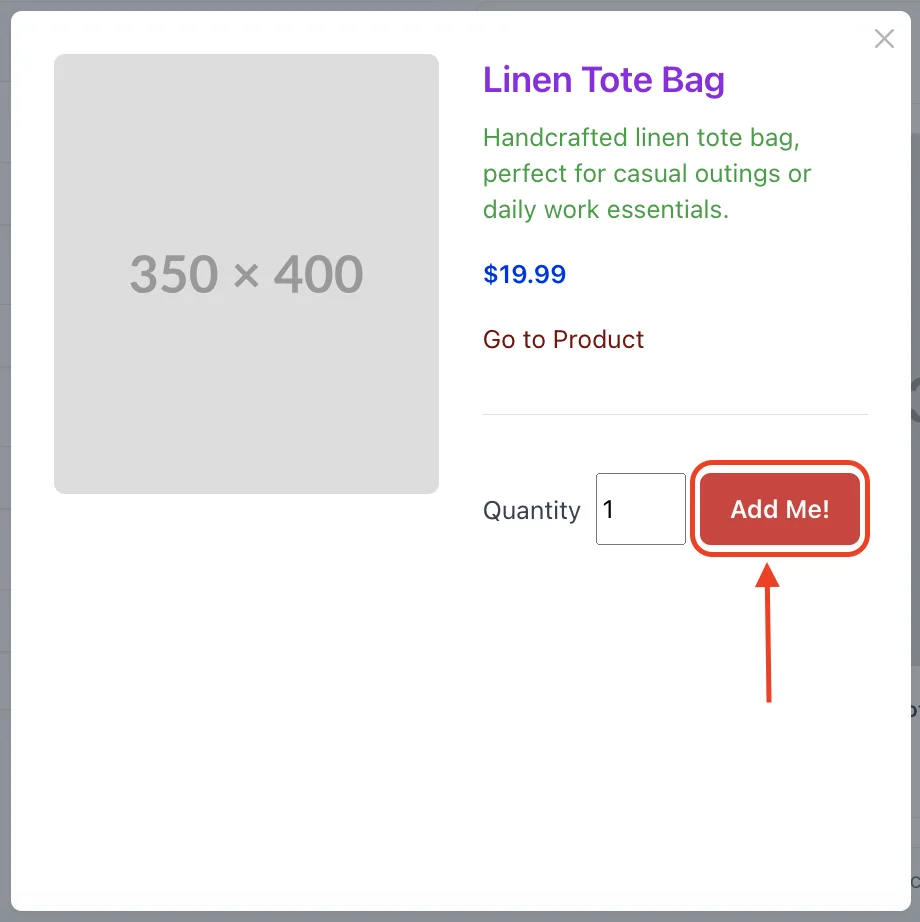
- Button Add to Cart: This is the button customers click to add an item straight to the cart. Customize it with text like Buy Now or Add Me! to match your tone.

Once you're done customizing, preview how it looks using the Live Preview area or click Preview on Shop to see it in action on your store.
And don’t forget to click Save Changes. Not happy with your edits? Just hit Reset to Defaults to start fresh.

💡 Why Choose Shop Booster’s Product Quick View?
-
⚙️ Easy Setup – No coding needed, just plug and play.
-
🚀 Faster Browsing – Keep customers engaged without loading delays.
-
💨 Lightweight – Runs smoothly without slowing your store.
-
💰 Boost Conversions – Fewer clicks mean faster checkouts.
📝 Final Thought
Your customers want speed, not extra clicks.
Product Quick View gives them everything they need—right where they are.
No loading. No backtracking. Just smooth, focused browsing.
They stay engaged, explore more, and check out faster.
Simple to launch. Big on impact.
Less friction, more conversions, happier customers.
Thanks for scrolling with us — now let’s get that popup on your store.

Related articles
 14 May, 2025
Boost Product Visibility in ChatGPT: A Complete Setup Guide
Sometimes, customers are just one step away from buying—but then they leave. Maybe they got distracted. Maybe they weren’t sure. Whatever the reason, that exit click doesn’t have to be the end of the story.
14 May, 2025
Boost Product Visibility in ChatGPT: A Complete Setup Guide
Sometimes, customers are just one step away from buying—but then they leave. Maybe they got distracted. Maybe they weren’t sure. Whatever the reason, that exit click doesn’t have to be the end of the story.
 09 May, 2025
Exit-intent Popup Shopify Guide: Keep Visitors from Leaving your Store Without Buying
Sometimes, customers are just one step away from buying—but then they leave. Maybe they got distracted. Maybe they weren’t sure. Whatever the reason, that exit click doesn’t have to be the end of the story.
09 May, 2025
Exit-intent Popup Shopify Guide: Keep Visitors from Leaving your Store Without Buying
Sometimes, customers are just one step away from buying—but then they leave. Maybe they got distracted. Maybe they weren’t sure. Whatever the reason, that exit click doesn’t have to be the end of the story.
 29 Apr, 2025
How to Add a Back to Top Button to Make Your Shopify Store Smoother and More User-Friendly
Users often have to scroll endlessly on long product or blog pages to return to the top. This friction can hurt navigation and overall user experience—especially on mobile.
29 Apr, 2025
How to Add a Back to Top Button to Make Your Shopify Store Smoother and More User-Friendly
Users often have to scroll endlessly on long product or blog pages to return to the top. This friction can hurt navigation and overall user experience—especially on mobile.